
Your cart is currently empty!
A Summary of Recent updates to CG2
The changes we make to improve the user-experience of the Control Group database are guided by the feedback you give us via our exit survey and email requests!
Here is a summary of the recent improvements that have implemented as a result of requests made by your fellow Control Group participants.
Easily mark a Health Condition as resolved
If you have recovered from one of the Health Conditions you have listed in your Health Record. You can simply mark it as RESOLVED using the ‘chequered flag’ button on the Health Conditions summary.
- Click the chequered flag button
- Enter the date and select what helped you to get better
- Click SAVE
- Your resolved Health Conditions are shown ‘greyed out’ in your listing with their resolved date.
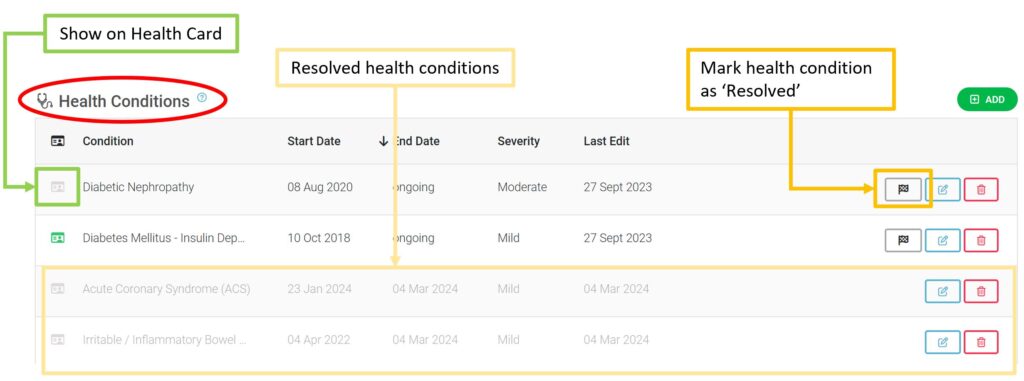
Don’t forget you can add or remove anything from displaying on your Health Card QR page by clicking the Show on ‘Health Card’ icon on or off.
If the icon is bright green, that item will show up on your Health Card if someone scans the QR Code.
You do not need to order a new health card if you change what information is on it – the QR code is connected to your profile, rather than a set of information.
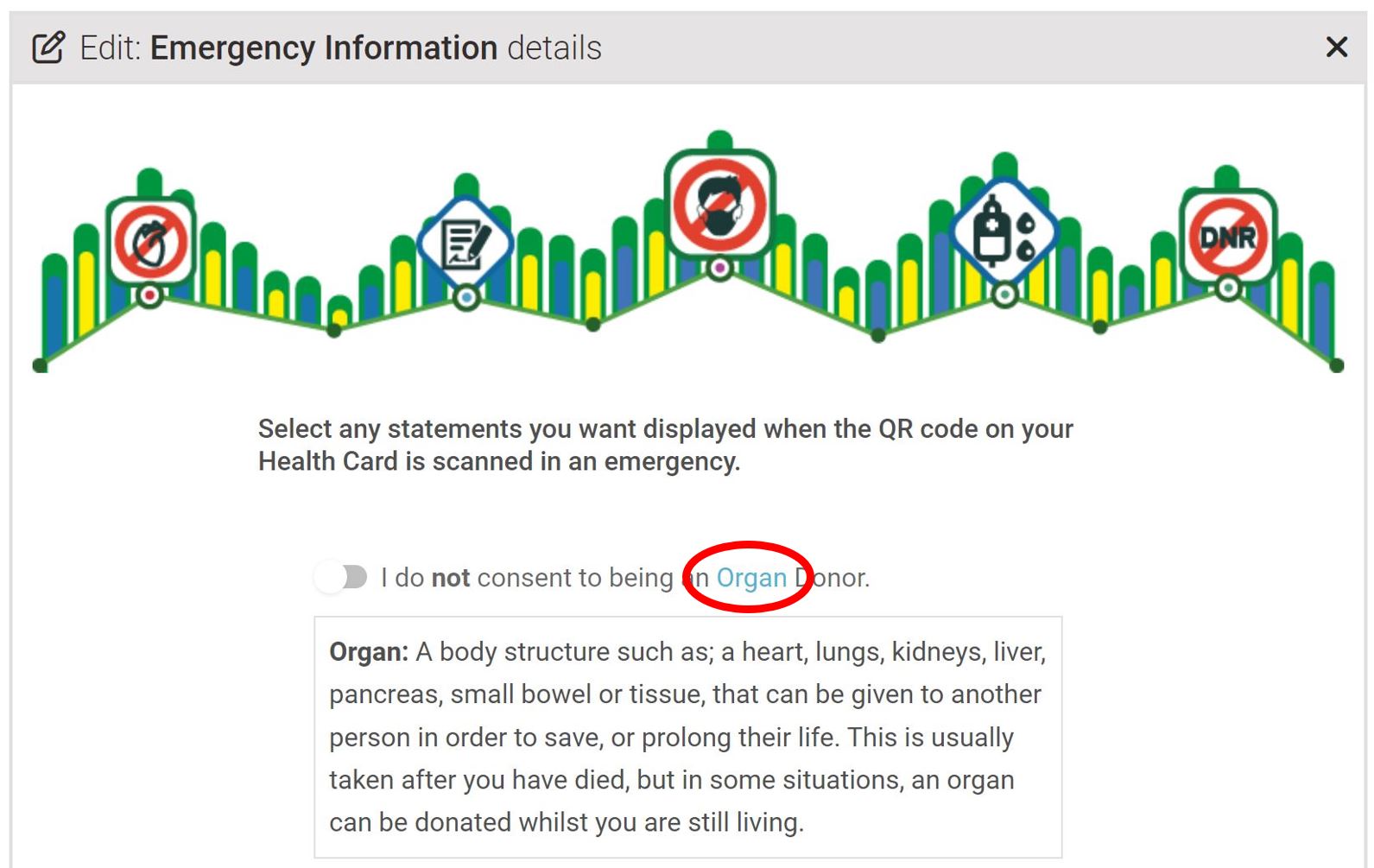
Better descriptions for Emergency Information
Click on the hyper-linked terms in ‘Emergency information’ to see a description of that term.
Better descriptions for Emergency Information
Not sure what a button/icon does? We have created a handy key to help you. You will find this key above ‘Health Conditions’ section on your Health Record.

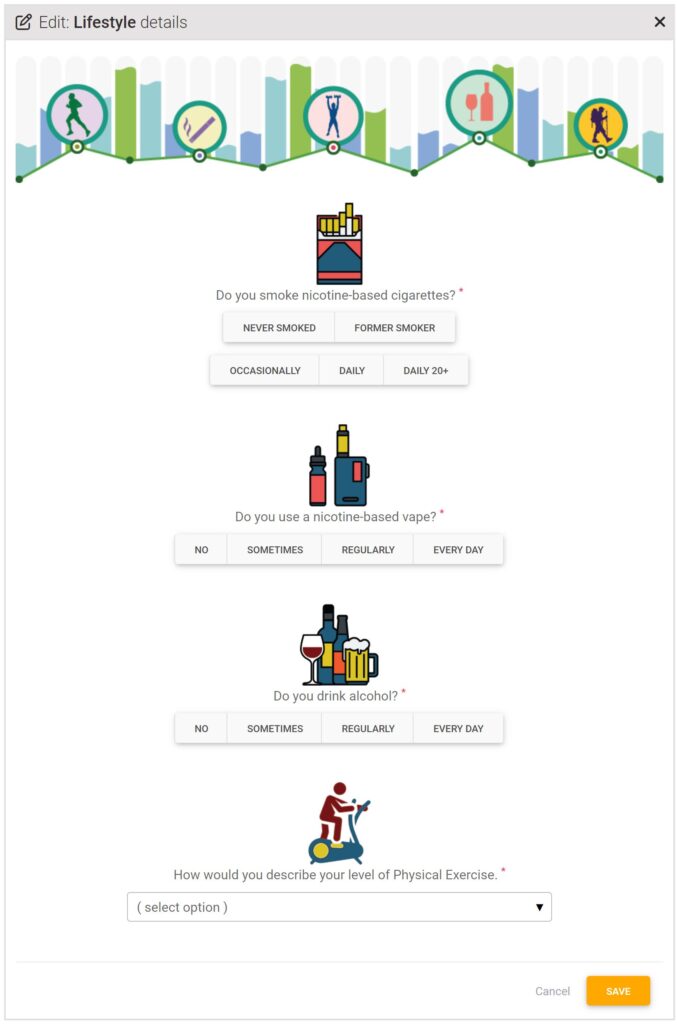
NEW Section for Lifestyle questions added
After many requests, we have finally added a section in the Health Records that records some basic Lifestyle questions that will help build a more comprehensive picture of what affects our health. You only need to complete them once, unless they change.

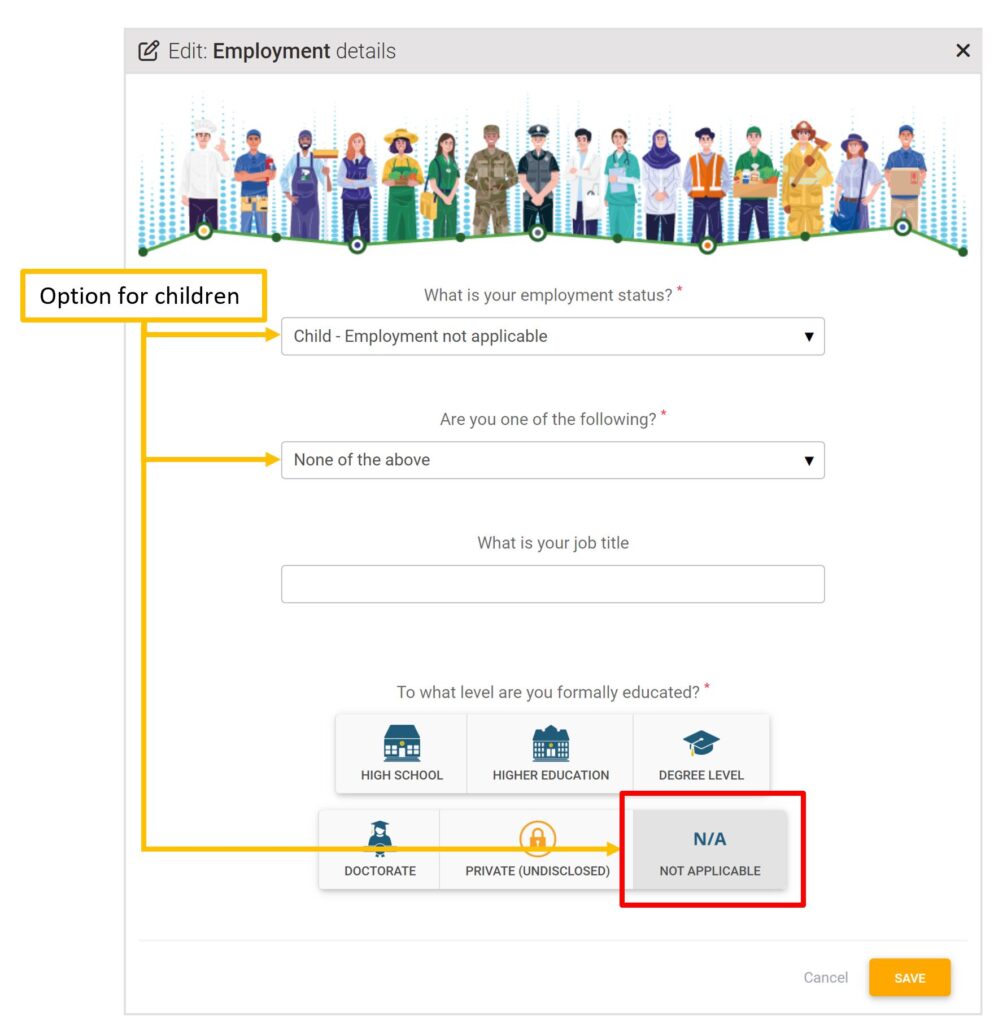
Relevant option for children in Employment Details
Previously, under the question ‘To what level are you formally educated?’ there was no answer that was relevant to a child who had not yet started high school (or equivalent) level.
We have now added the option of ‘N/A Not Applicable’.
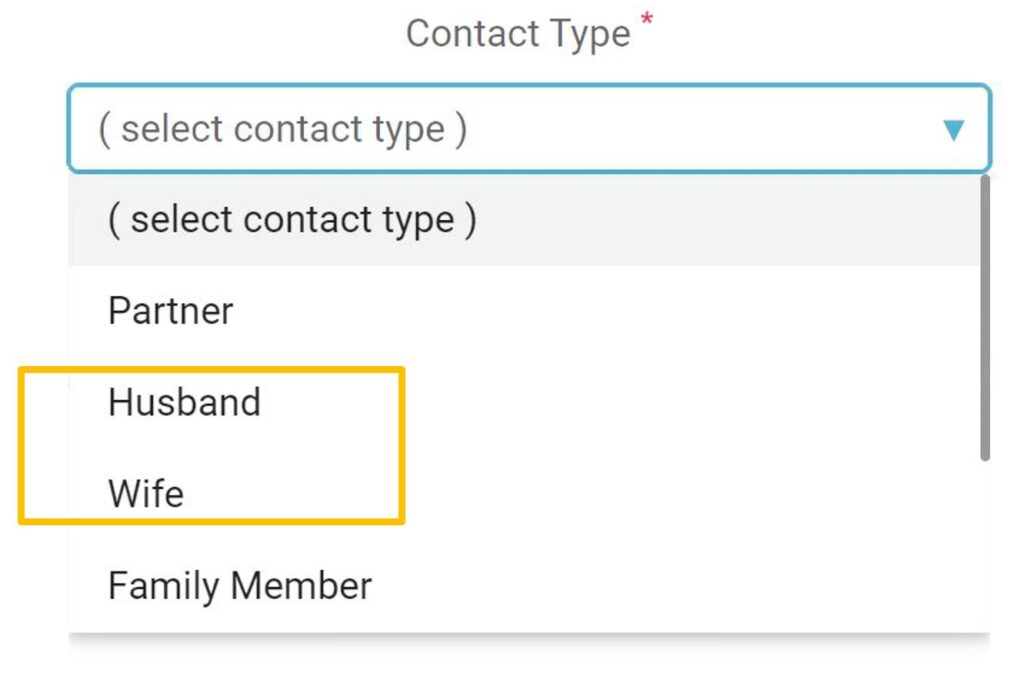
Husband and Wife options added to Emergency contacts
You can now record your Emergency Contact Type as either ‘Husband’ or ‘Wife’, rather than just ‘Partner’ in the Emergency Contacts section.
Exit Feedback survey has gone
You will no longer be asked to complete a feedback survey each time you logout of your Control Group account. However, we value your input and once you are logged out, you will still have the opportunity to give feedback (should you wish to) from the top of the Logout screen.

If you would like to give feedback, have new items to add to the Health Conditions, Medications and Supplements, Allergies or any other lists, please email us at support@controlgroup.coop.