
Your cart is currently empty!
Monthly Updates Simplified
Having up-to-date, trustworthy data is the most important aspect of our work, and with this in mind we have created a simplified monthly update process to make it quick and easy to keep the most vital aspects of your health record up to date – these are:
- Health Conditions
- Medications and Supplements
- Vaccinations
Each month when you log in for the first time you will find an option to complete your monthly update for each participant in your dashboard, as shown in the example below.
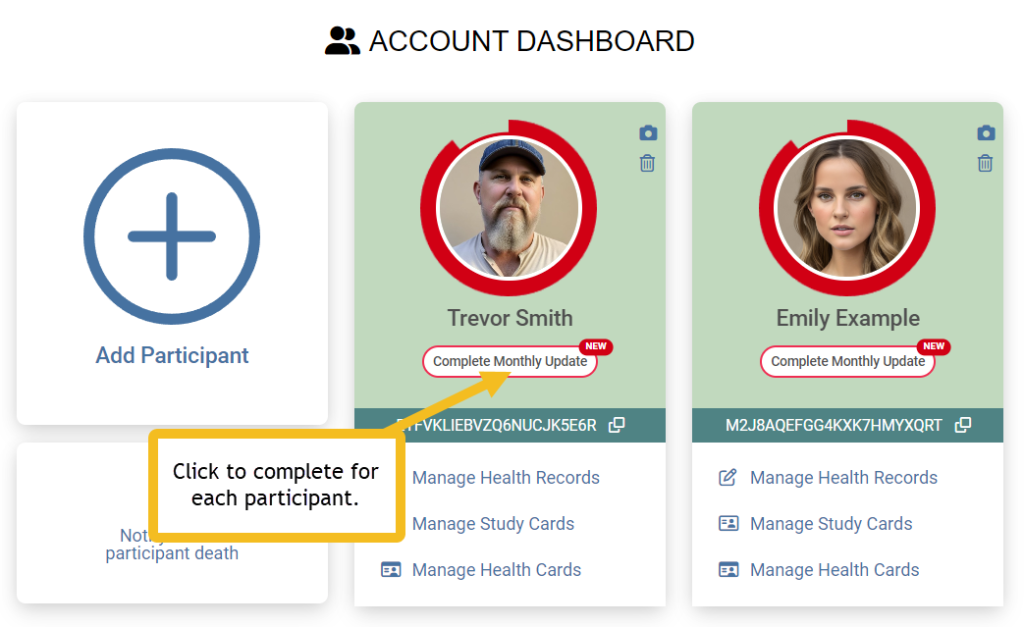
Click on ‘Complete Monthly Update’, you will be taken to a screen that shows your ongoing health conditions, current treatments and supplements and the most recent vaccinations.
Health Conditions
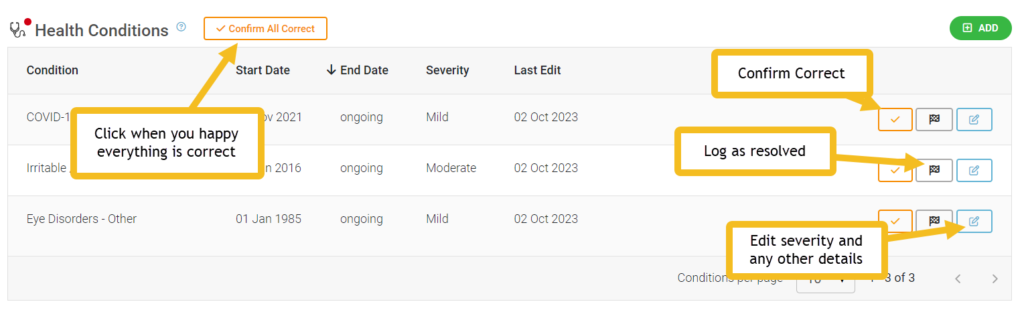
Please review any ongoing health conditions:
- If the severity of the condition has changed, use the blue ‘edit details’ button to make changes.
- If the condition has resolved, use the resolved button (chequered flag) to notify of this.
- If nothing has changed, click on the orange tick button for each condition listed.
- If you have a new condition to report, can add it by clicking the green ‘Add’ button at the top of the section.
Once all the information is correct click on the orange ‘Confirm All Correct’ button at the top of the section.
If you do not have any ongoing health conditions, please leave the section blank but still click on the ‘Confirm All Correct’ button, because it is just as important to know you are healthy as it is to know of any health conditions.
Once the section is completed it will be removed from the monthly update. You can still edit and add to it from your ‘Health Record’ link on the Dashboard at any time.
Medication and supplements
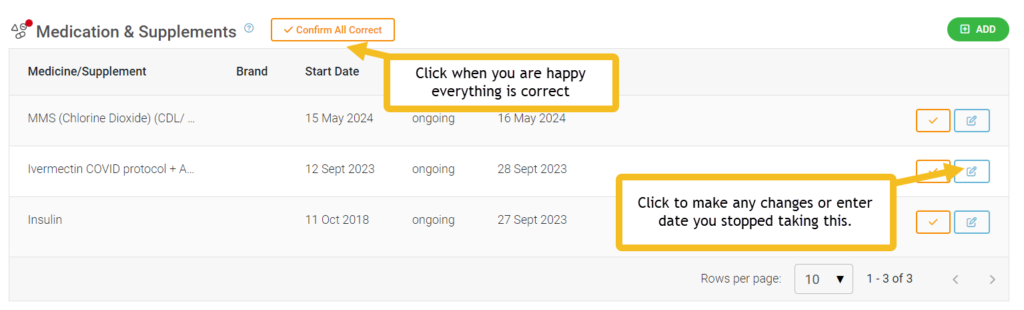
Please review all your listed current treatments and supplements:
- Make any changes needed using the blue ‘edit details’ buttons.
- Add any new medication or supplements with the green ‘Add’ button at the top of the section.
- If nothing has changed, click on the orange tick button for each item listed.
Once all the information is correct click on the orange ‘Confirm All Correct’ button at the top of the section.
If you are not taking any medications or supplements, please leave the section blank but still click on the ‘Confirm All Correct’ button.
Once the section is completed it will be removed from the monthly update. You can still edit and add to it from your ‘Health Record’ link on the Dashboard at any time.
VAccinations
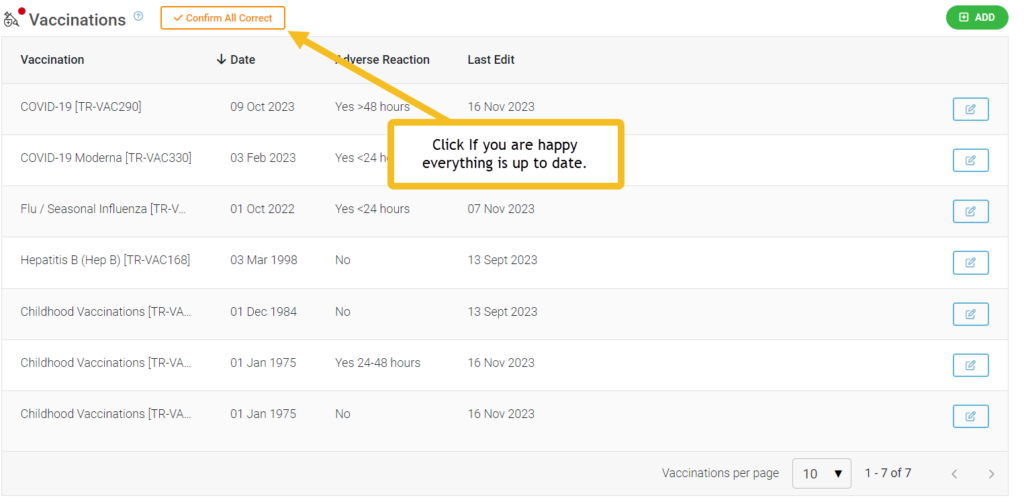
Please review all your listed current vaccinations:
- Make any changes needed using the blue ‘edit details’ buttons.
- Add any new vaccinations with the green ‘Add’ button at the top of the section.
- If nothing has changed, click on the orange tick button for each item listed.
Once all the information is correct click on the orange ‘Confirm All Correct’ button at the top of the section.
If you have never had any vaccinations, please leave the section blank but still click on the ‘Confirm All Correct’ button.
Once the section is completed it will be removed from the monthly update. You can still edit and add to it from your ‘Health Record’ link on the Dashboard at any time.
ON completion
Once you have completed the monthly update you will be given options to return to the dashboard, or to visit you detailed health record so you can make any other changes or additions to further sections.